Download the ISIC app


Thousands of discounts and a student ID in your pocket
Download the ISIC app and use your digital ISIC card on the go! With the ISIC app, you'll always have your digital ISIC card available – also when offline. Find the best local discounts near you, get the latest news on student life developments, find fantastic limited offers and more!
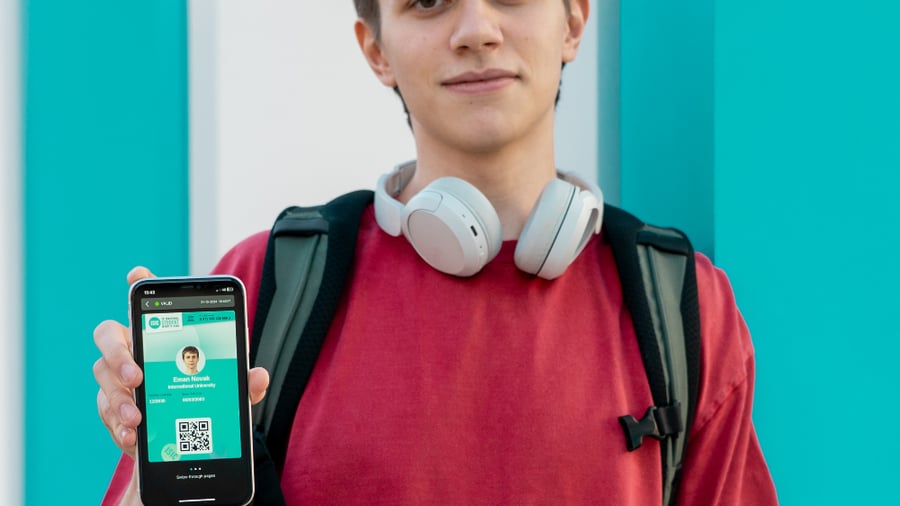

Download the ISIC app
How to get started?
Download the ISIC App from the App Store or Google Play.
Download the ISIC App for free and access your digital student ID anytime, anywhere.
Register to the ISIC App by using your ISIC number.
Once your card application is approved, you'll receive your ISIC number by email. Use it to create your account.
Verify your account via the confirmation email.
Open the confirmation email and click the verification link to activate your account.
Upload your photo to complete your ISIC app profile.
Upload a clear, recognizable photo to complete your digital ISIC student ID.
Explore and enjoy your student benefits worldwide!
You're ready to use your ISIC to access thousands of student discounts and benefits around the world!
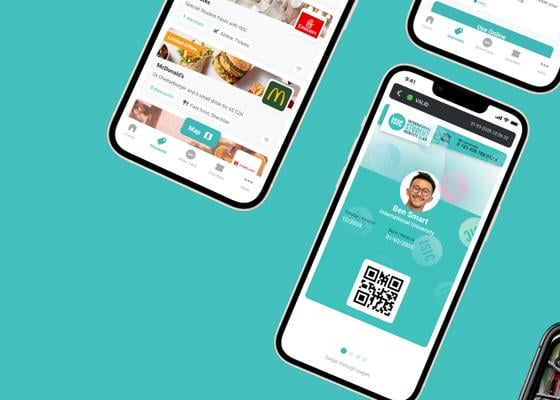

With the ISIC app, you can..
Have the digital ISIC always with you
Your digital student card is always ready to use, even without an internet connection.
Find thousands of student discounts
Use the interactive map to find nearby student deals, or browse offers by category: travel, food, entertainment & more.
Prove your student status globally
You’ll be recognized as a student in over 130 countries.
Stay up-to-date on student life
Stay in the loop of the latest student life related news, scholarships, and exclusive short-term offers.
Problem related to the ISIC app?
Look for answers to ISIC App related problems here!
Once you have received your personal 14-digit ISIC number, you are able to sign up to ISIC App and activate your digital ISIC student ID. Please
Download the ISIC App for Android or iOS and check out the ISIC App sign-up demo here.
Tap "Create Account" on the start screen
Enter your name in the same format as it is on your order confirmation email and your personal ISIC number, and tap "Confirm"
Enter your email address and a password you want to use for the ISIC app login
Read and accept the Terms and Conditions, and tap "Confirm"
Click the link on the verification email sent to the address you have given above
Upon the first time you display the digital card, add your photo to the ISIC app. Check how it will look like on the digital card before confirming, as the image cannot be changed after confirmation.
If there is a typo on the email address you inserted when signing up to ISIC app, please contact mobile@isic.org to get your activation email;
Check your spam or junk mail folder for an email from isicaccounts@isic.org;
Add isicaccounts@isic.org to your email contacts or approved senders list;
If you are still facing problems, please contact mobile@isic.org.
Check that you are using the same email address that you used when you signed up to the app;
If you have forgotten your password, click "Forgot password?" on the app to receive a new one to your email;
If you are still having problems logging in, please contact mobile@isic.org.
If you have changed your name or place of study in the middle of your card's validity, we can update the new information directly to your digital card. Please send us your ISIC number and your new information via the contact form.
Please order a new digital ISIC, ITIC or IYTC ID from ISIC's website and make sure your name is written in the same format as for the card that you registered first in the ISIC app. When you have received your new ID number, go to your profile in the ISIC app (bottom right corner in the app - Edit) and click "Replace card". Type in your new ID number and your name as it is written on the order confirmation email, click "Submit" and your new digital card will appear in your ISIC app. If you have problems in replacing your card, please contact us.
Sýnir 4 / 5 niðurstöður